Pets & appointments
Review pet details, reminders and past visit history. The Appointments & reminders section includes upcoming visits, pending requests and appointment history.
 Request a demo ↗
CLIENT PORTAL
Give pet owners a place to review pet and account information, request appointments and refills, pay a bill, and send a message to the practice.
A PLACE TO START
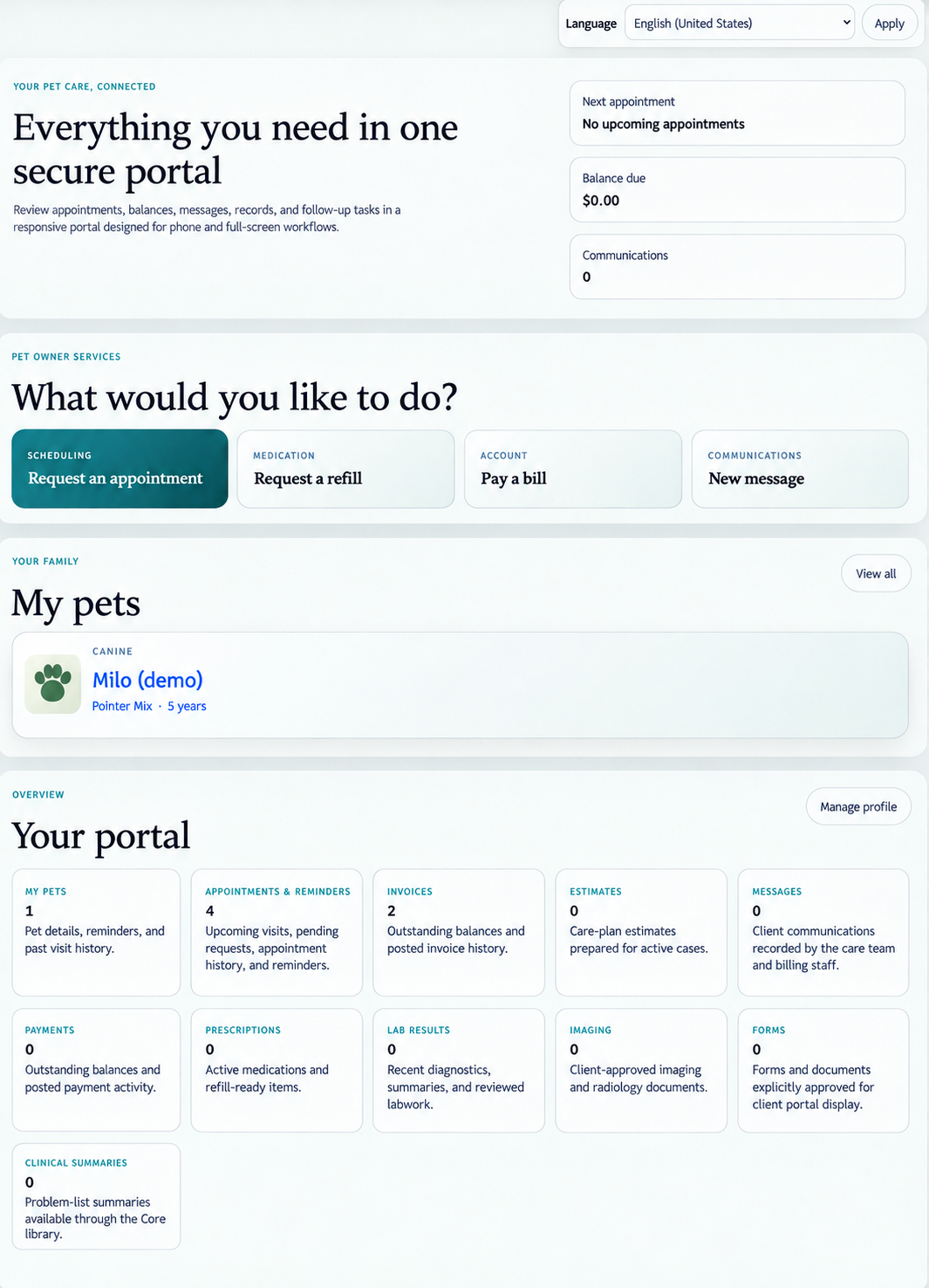
The portal home screen brings together the next appointment, balance due, communications and pets, with shortcuts to common requests.
From appointments and reminders to invoices and messages, clients can find the portal sections in one overview.YOUR PET CARE, CONNECTED
Clients can start with their pet, check the account overview or choose a service. The example shows the portal's main screen with illustrative sample data.
COMMON CLIENT ACTIONS
Four visible shortcuts give clients a starting point for common interactions with the practice.
Review pet details, reminders and past visit history. The Appointments & reminders section includes upcoming visits, pending requests and appointment history.
Find sections for invoices, payments, estimates, prescriptions and lab results, alongside messages and clinical summaries.
The Imaging section is for client-approved imaging and radiology documents. Forms and documents are explicitly approved for display in the client portal.
EXPLORE THE CLIENT EXPERIENCE
Walk through the Client portal and discuss your practice's appointment requests, refill requests, billing, messaging and client-facing information in a personalized demo.