Book from availability
Use the visible Book action on an available slot. New appointment and Find availability are also available in the workspace.
 Request a demo ↗
FLEXIBLE SCHEDULING
Review availability, book appointments, and adjust plans as the day changes. Use Schedule view to see the day or week, with filters that help your team focus.
A VIEW THAT FITS THE WORK
Use the calendar-style Schedule view for day or week planning. Grid, Cards and Timeline are also available from the same scheduling workspace.
Navigate dates with Today, the date picker and the previous/next controls.THE SCHEDULE AT A GLANCE
The weekly Schedule view brings dates, booked appointments and available time slots into view. Each availability card shows the time and staff member, with a Book action for the opening.
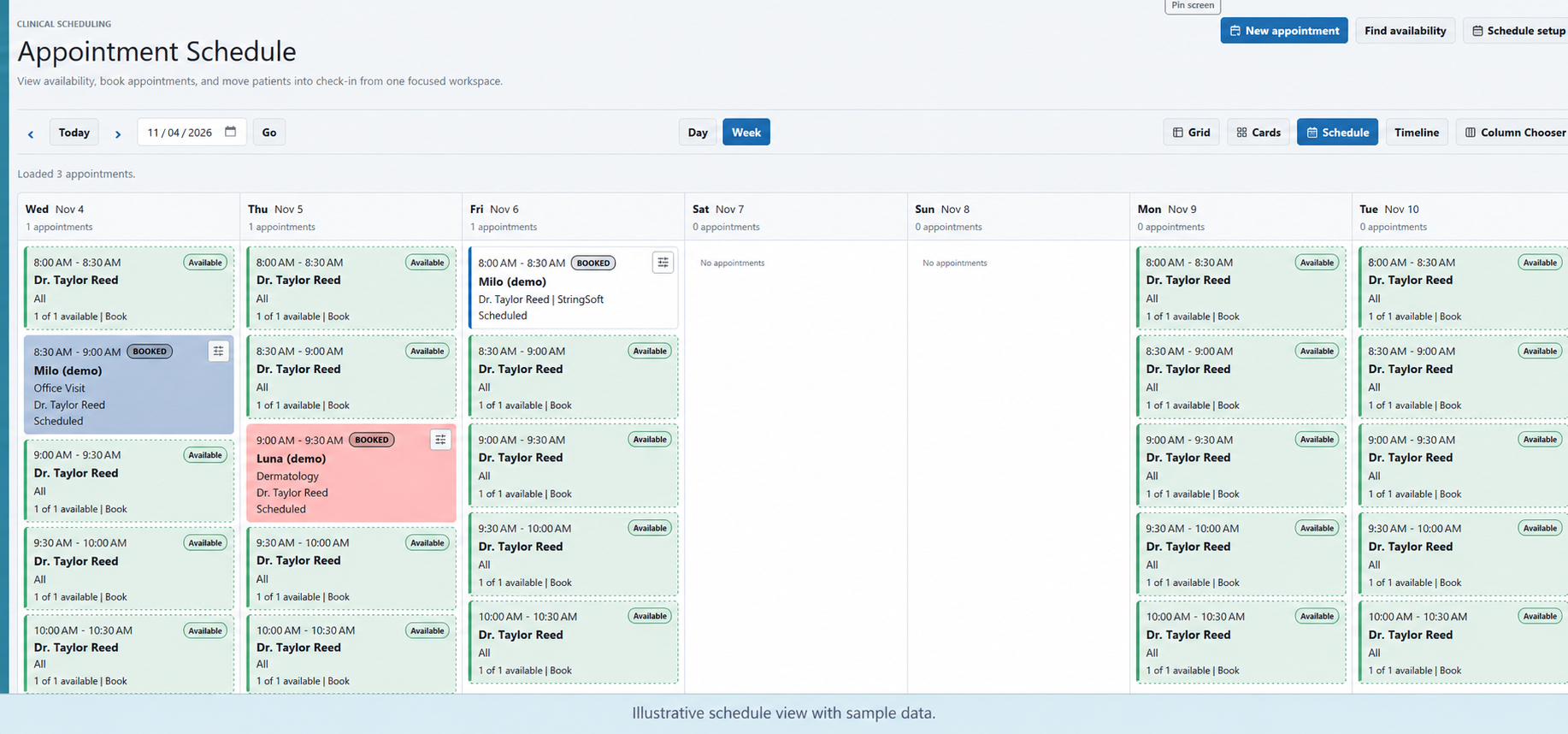
Use the visible Book action on an available slot. New appointment and Find availability are also available in the workspace.
Reschedule appointments with drag and drop when plans change. Keep the schedule aligned with the day’s work.
Change an appointment’s date and time directly when you need to adjust its timing.
FOCUS THE SCHEDULE
Filter by doctor, service, location or department to focus the schedule on the work you need to review.
EXPLORE YOUR WORKFLOW
Walk through your preferred view, the filters your team uses, and how you book or reschedule appointments during a typical day.