Create the plan
The attending doctor, technician or student creates a treatment plan for the patient.
 Request a demo ↗
TREATMENTS & REMINDERS
Create a patient treatment plan, record completed treatments, and connect completed items to client charges. Support follow-up with product-linked or manually added reminders.
FROM PLAN TO COMPLETION
The attending doctor, technician or student creates the patient's treatment plan. When a user marks a treatment complete, the item is charged to the client.
Bring treatment planning and completion into the clinical workflow.The attending doctor, technician or student creates a treatment plan for the patient.
After the treatment has been performed, the user records its completion.
Completing the treatment charges the item to the client.
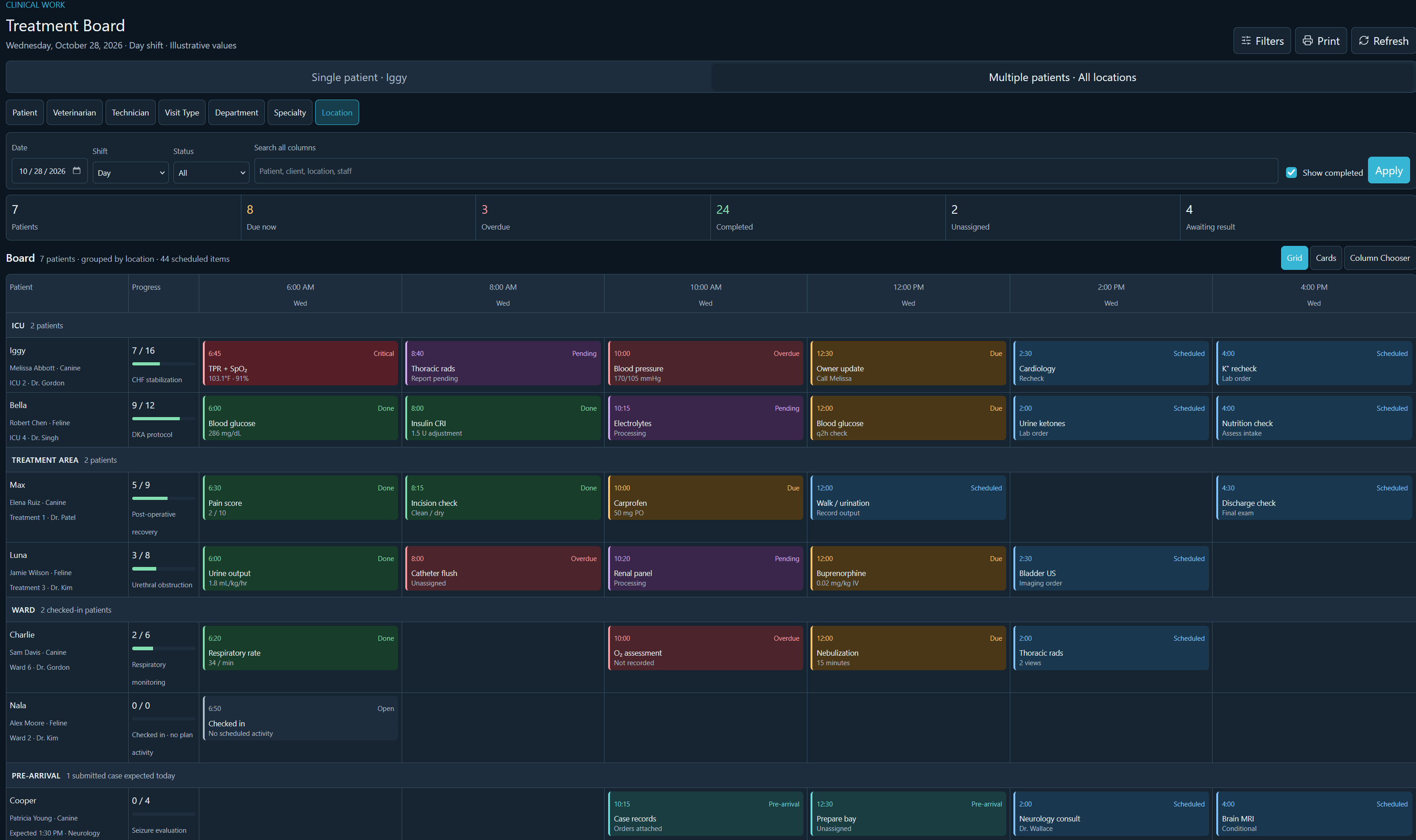
MULTI-PATIENT TREATMENT BOARD
The multi-patient board shows treatment work across patients and locations. This illustrative view groups patients by location, with progress and scheduled activities arranged across the day.
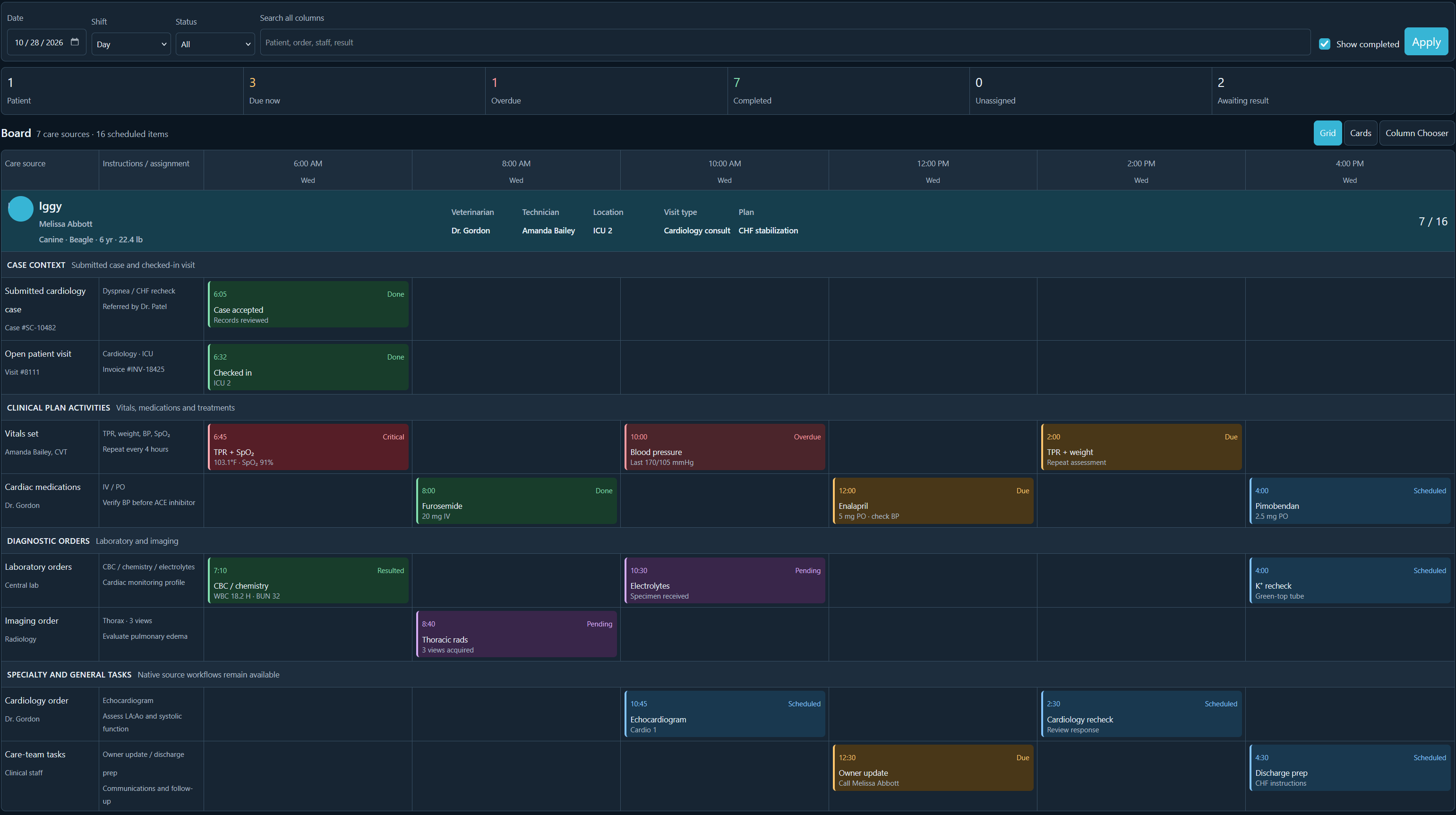
SINGLE-PATIENT TREATMENT BOARD
The single-patient view brings the patient's case context, clinical plan activities, diagnostic orders and care-team tasks into one timeline.
REVIEW THE DAY'S WORK
Use the board's summaries and display options as you review treatment work.
Reminders are created automatically when attached to a product. This includes callbacks and mail reminders.
Add reminders manually when needed, including callbacks and mail reminders.
EXPLORE YOUR WORKFLOW
Explore treatment plans, completion and charging, plus product-linked and manual reminders, in a personalized StringSoft demo.